


3-day free trial

The AI remote workspace,always on.

Computers at home, agents in your pocket.
vibe42.ai/install.md

Live demo — click, drag and type right in it

Swipe sideways to see the whole window
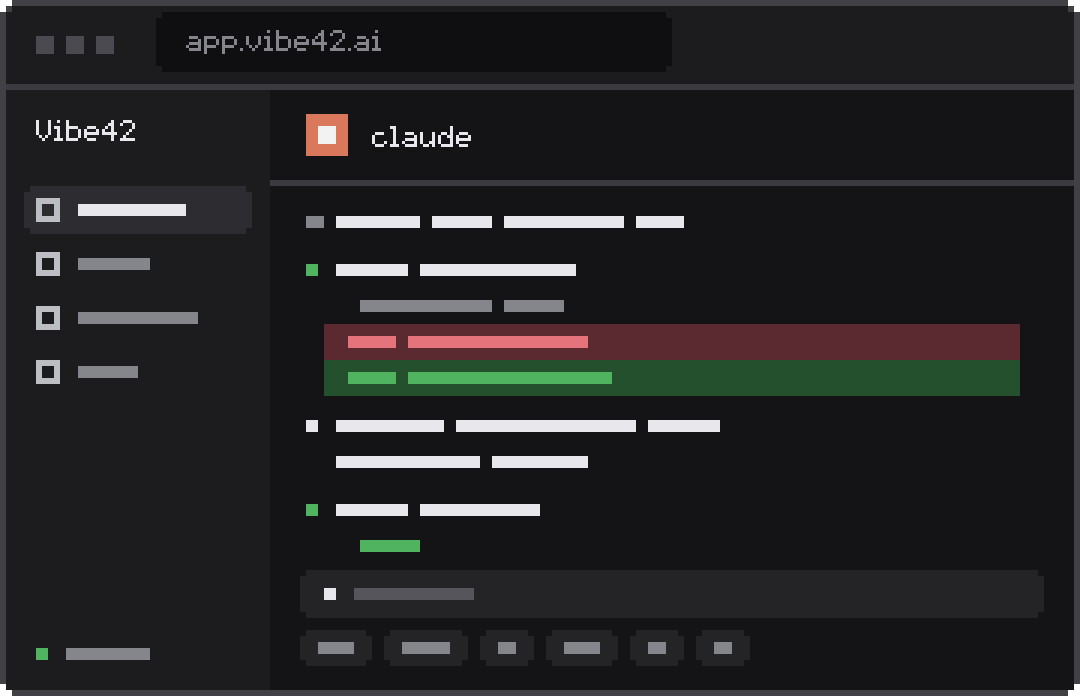
A live, clickable preview of the Vibe42 app. Coding agents such as Claude Code and Codex run in terminals on your own computers, next to a web preview, files and a remote desktop, and the sidebar shows which agents are working, done or waiting for you.

Simple to use,works with every coding agent

No network setup, connects from anywhere

Nothing to inject, no lock‑in, no mess left behind

Nothing running in the background, never miss a push

  • Claude Code
  • Codex
  • Gemini CLI
  • OpenCode
  • GitHub Copilot CLI
  • Cursor CLI
  • Amp
  • Kiro
  • Qoder
  • CodeBuddy
  • Trae
  • Goose
  • OpenHands
  • Cline
  • Kilo Code
  • Roo Code
  • Junie
  • Claude
  • OpenAI GPT
  • Gemini
  • Grok
  • Llama
  • Mistral
  • DeepSeek
  • Ollama
  • Kimi
  • Qwen
  • GLM
  • MiniMax
  • Doubao
  • Hunyuan
  • ERNIE
  • StepFun
  • LongCat
  • MiMo
  • OpenRouter

Supported coding agentsRun Claude Code from your phone

Your data stays home,synced everywhere

Your data lives only on your computer at home and stays in sync across every device. Global relay nodes keep you connected wherever you go.

How connections work

Los AngelesLAXFrankfurtFRAHong KongHKGTokyoTYO

Zero data retention,end-to-end encryption enforced

Every connection is end-to-end encrypted, always. Relays only forward ciphertext and store none of your data.

Your phone

❯ cat .env

Encrypted before it leaves

Vibe42 relay node

Forwards only

No key, can't read it

Your computer

❯ cat .env

Decrypted only on arrival

Keys stay on your devices

Noise handshake per connection; keys are generated on your phone and computer.

Nothing retained

Terminals, files and screens pass through as ciphertext. The server stores none of it.

Direct when possible

Phone and computer talk directly; the relay only fills the gap.

Security model

Three steps to your computer

vibe42.ai/install.md
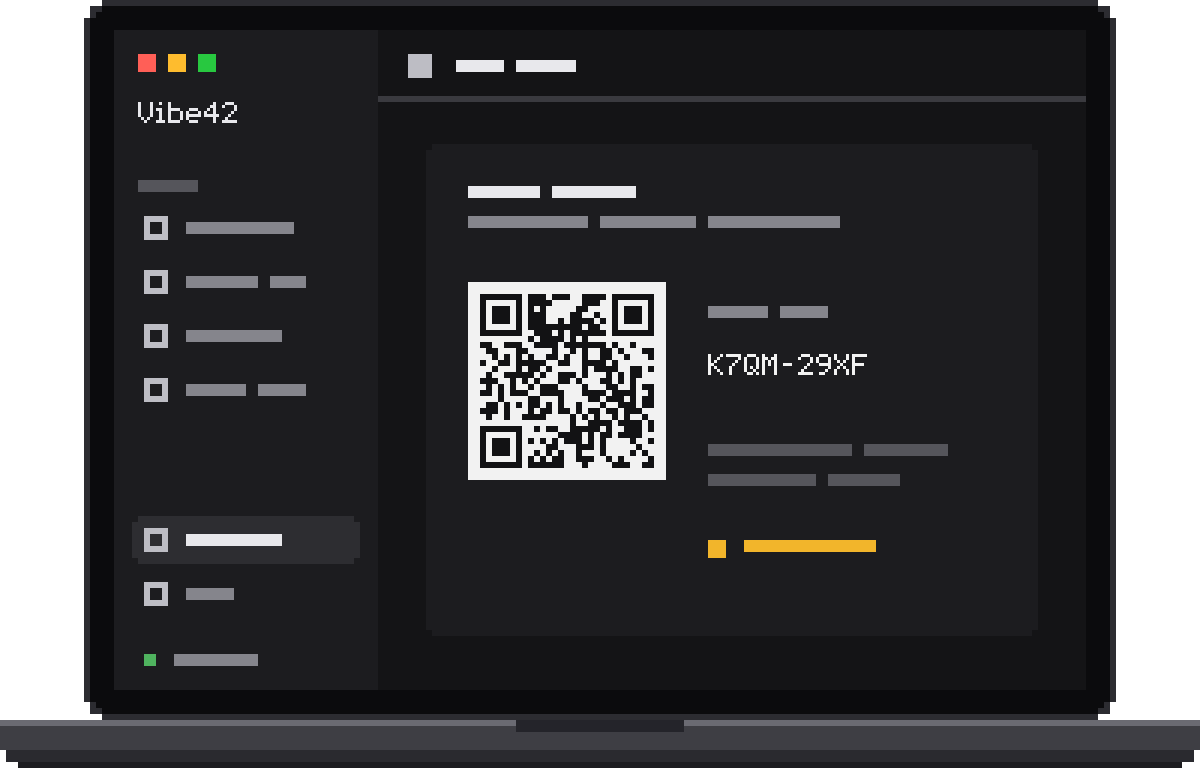
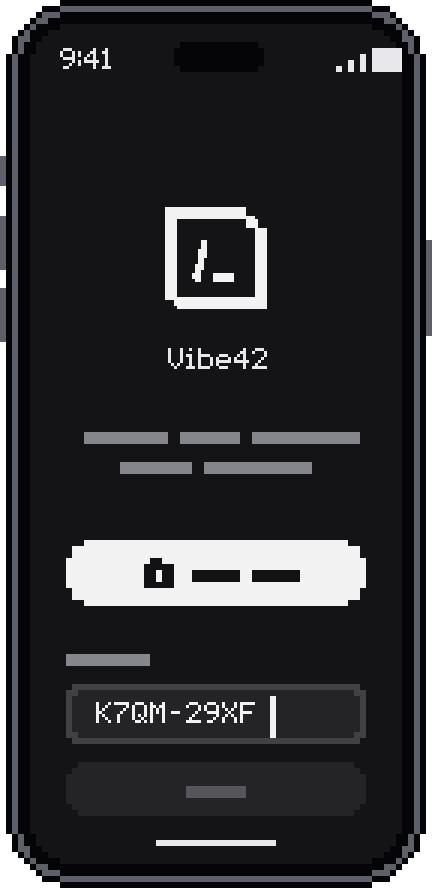
Vibe42 on the computer showing a pairing QR code and pairing codeContinuing an agent session from the computer in the Vibe42 web appPhone app pairing screen, scan or enter the pairing code to connect
  1. 1.Install on your computer

    macOSLinuxWindows
  2. 2.Pair your phone

    App StoreGoogle Play
  3. 3.Phone or browser, anywhere

    Web app

Install on your computer

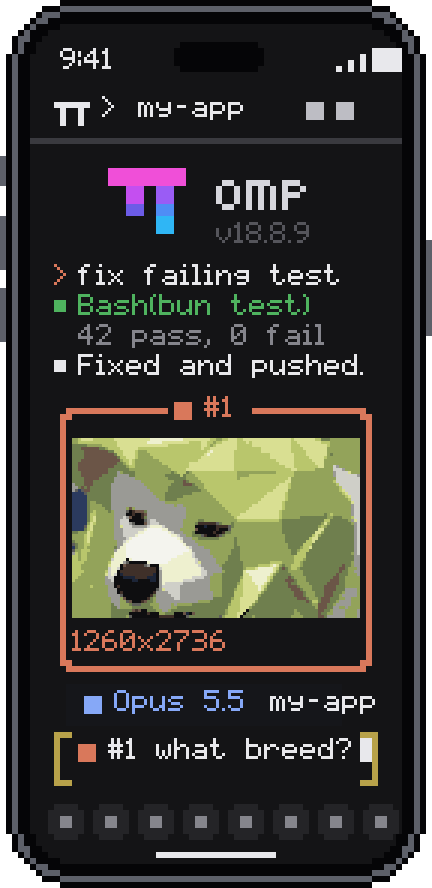
The Vibe42 terminal on a phone

Feels right on a phone

  • Smooth, efficient, stays cool

    Typography and input tuned for Chinese, Japanese and Korean.

    120HzrefreshGPUaccelerated

  • Built on Ghostty, images in the terminal

    The Kitty graphics protocol shows images right in the terminal.

  • Made for phones, tablets and foldables

    Layouts that fit every screen and adapt as you unfold or rotate.

Typing on a phone or tabletAgent notifications

Beyond the terminal, take the whole screen with you

  • Crisp and clear

    Quality adapts to your network automatically, or pick it yourself. Switch between displays anytime.

  • Hands on

    Tap, swipe and type on your phone, and you're working on that Mac.

  • Works when locked

    Mac locked? Type the password remotely to unlock it.

Remote desktop: getting startedUnlock your Mac remotely and use a GUI app

The desktop on a Mac
A phone in landscape remotely controlling the same Mac desktop
Tap the phone screen

The answer is 42. The question is yours.

A supercomputer spent 7.5 million years on it and came back with 42, but nobody knew what the question was. It's the same today: coding agents can work out the answers, but what to ask is always up to you. So Vibe42 lets you ask your own computer from the train or a café, phone in hand. And Vibe42 itself was built exactly this way, day after day.

— For The Hitchhiker’s Guide to the Galaxy

“We are our own heaviest users.”

@jiacheng_ai@jiacheng_aiCreator of Vibe42Follow the daily build on X

Pricing & Plans

Direct connections remain free.

Basic

3-day free trial

$8/mo

Billed monthly

One computer, picked up from your phone.

Includes:

  • 2 computers
  • 5 phones / tablets / browsers
  • Remote desktop, file transfer
  • Works with any coding agent
  • Multiple themes
  • Instant artifact preview
  • Agent status and alerts via OSC 7501
  • End-to-end encrypted, relay nodes worldwide
  • Push alerts when an agent finishes or needs you
Choose plan

Starts right after payment

Pro

3-day free trial

$25/mo

Billed monthly

Many machines, for heavy solo work.

Includes:

  • 5 computers
  • 100 phones / tablets / browsers
  • Remote desktop, file transfer
  • Works with any coding agent
  • Multiple themes
  • Instant artifact preview
  • Agent status and alerts via OSC 7501
  • End-to-end encrypted, relay nodes worldwide
  • Push alerts when an agent finishes or needs you
Choose plan

Starts right after payment

Team Basic

3-day free trial

$100/mo

Billed monthly

A small team sharing computers.

Includes:

  • 5 members
  • 30 computers
  • Unlimited phones / tablets / browsers
  • Remote desktop, file transfer
  • Works with any coding agent
  • Multiple themes
  • Instant artifact preview
  • Agent status and alerts via OSC 7501
  • End-to-end encrypted, relay nodes worldwide
  • Push alerts when an agent finishes or needs you
  • Member roles and permissions (Owner / Admin / Member)
  • Share computers with the whole team
  • One bill, managed by the Owner
Choose plan

Starts right after payment

New customers get a 3-day free trial after adding a payment method. Cancel anytime before it ends and you won’t be charged.

Pay with a credit or debit card, or with Alipay. Payments are processed securely by Stripe.

By continuing you agree to the Terms of Service and authorize Vibe42 to charge this payment method for renewals 7 days before each term. A failed renewal is retried daily until the day before expiry; there is no grace period. First purchases can be refunded in full within 3 days if unused. Refund policy

Downloads

Install Vibe42 on your computer first, then pick a device to connect from.

vibe42.ai/install.md

Install on your computerThe Mac, Linux or Windows PC you want to reach

macOS

Desktop app for Apple Silicon and Intel Macs

Detecting platform…

Setup guide

Linux

AppImage for x86_64 and ARM64 desktops

Detecting platform…

Setup guide

System requirements
  • x86_64 or ARM64 (aarch64) with glibc 2.39 or newer: Ubuntu 24.04, Debian 13, Fedora 40 and later. Older releases and other architectures are not supported.
  • Before the first run, make the file executable: chmod +x Vibe42-*.AppImage.
  • FUSE to run the AppImage: the kernel module and a setuid fusermount3 or fusermount, usually the fuse3 package. Without FUSE, start it with --appimage-extract-and-run.
  • The app includes the Companion and installs it as a systemd user service, so a systemd user session is required. Do not also run the one-line installer on this machine.
  • Tray icon: needs a StatusNotifierItem host. KDE and most desktops have one; GNOME needs the AppIndicator extension. Without a tray, closing the window quits the app.
  • Previews of code, Markdown, HTML and PDF use the bundled WebKitGTK, which needs bwrap and xdg-dbus-proxy on the host (bubblewrap and xdg-dbus-proxy packages). Without them, text files show as plain text and PDFs can only be downloaded.
  • Input methods in X11 sessions use the host's fcitx5 or ibus GTK 4 module; Wayland sessions need nothing extra.
  • Remote desktop uses hardware H.264 decoding when available (VA-API or NVIDIA); otherwise the app offers to download Cisco OpenH264 on demand.

Windows

Coming soon

Setup guide

Install Server edition

For servers and headless machines you want to connect — macOS and Linux. Run this on the machine:

Setup guide

curl -fsSL https://get.vibe42.app/install.sh | sh

Connect from these devicesAny of them works

iOS

Scan to download

Setup guide

App Store

Android

Scan to download

Setup guide

Google Play

Browser

No install, any computer or tablet

Setup guide

Open web app
Already installed? Pair the app

Frequently AskedQuestions

Quick answers on setup, terminal-first design, lock-in, and networking.

Why terminal-first?

Real productivity tools — Claude Code, Codex, Gemini CLI, git, tmux, compilers, custom scripts — live in the terminal. Rather than building a stripped-down cloud IDE, Vibe42 brings full native terminal power and GPU graphics to your phone, giving you direct control over active sessions on your home or office machine.

Do I need to buy a VPS or host a server?

No. Vibe42 provides managed multi-region high-speed relay clusters. Install the app and you are ready — no VPS, domain, or SSL configuration.

Which coding agents are supported? Is there vendor lock-in?

All coding agents are supported with zero lock-in. Claude Code, Codex, Gemini CLI, OpenCode, and custom scripts run natively on your machine. API keys and code never touch the cloud.

Can I connect from my phone with zero configuration?

Yes. Install on your computer, pair your phone, and your machine appears automatically. No public IP, no router configuration, no port forwarding.

Does the mobile app drain battery or run in the background?

No. The app has zero background residency — close it and memory and CPU are freed immediately. Notifications arrive via native Apple APNs and Google FCM push channels.

Does Vibe42 modify my local toolchain or shell config?

No. Everything runs over standard terminal protocols without injecting system hooks, background daemons, or modifying shell config files.